Sefam Access Lite for iOS

If you wish to have remote access to your Starck CPAP device and gain extra insights into your sleep behaviours, we recommend downloading ‘Sefam Access Lite’.
This app allows you to more easily monitor the efficiency of your CPAP treatment, as well as other health or lifestyle data provided by compatible connected devices. To download the app, visit the link on the button below from your mobile device or search ‘Sefam Access Lite’ on the Apple App Store.

PLEASE NOTE:
When setting up the app, we recommend not creating an account, since Australia is not yet linked to the cloud-based remote monitoring system. Don’t worry, you will enjoy the full functionality of the app without the account setup.
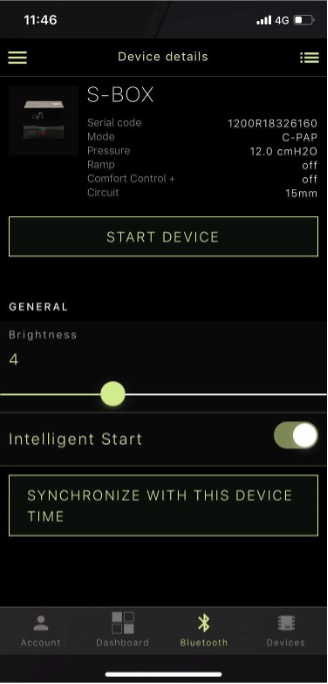
Simply connect your phone to your CPAP device and the app will record and display your data. In addition, you can change your comfort settings and add other ‘Connected devices’.
How to set up Sefam Access Lite on iOS
There is no need to set up an account or register an account to use the app.
Step 1
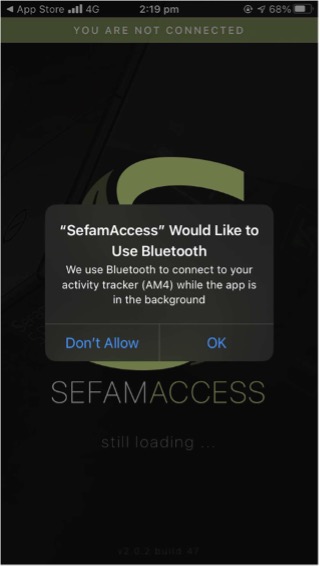
Accept permission for access to Bluetooth and local network services by selecting ‘OK’
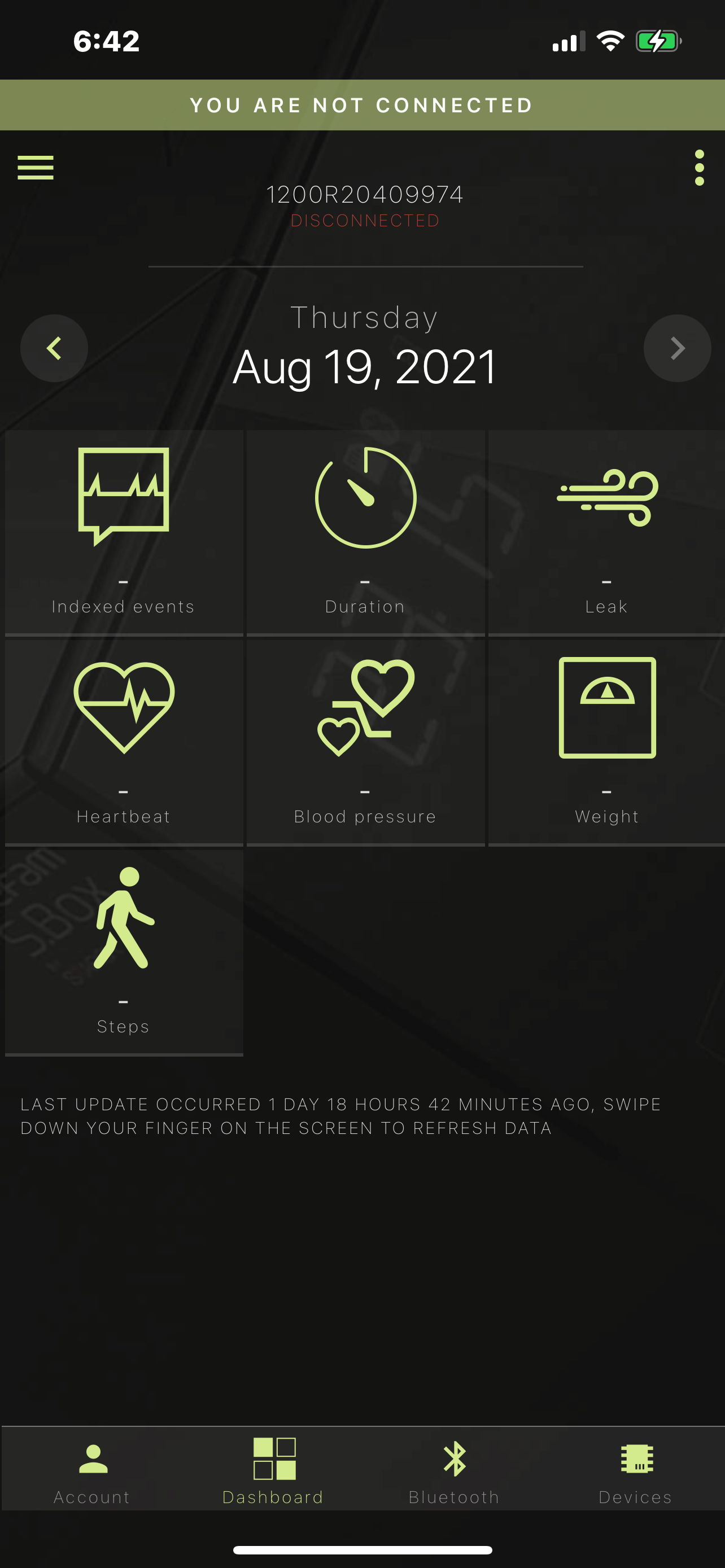
You will then arrive at your dashboard as shown:
Step 2
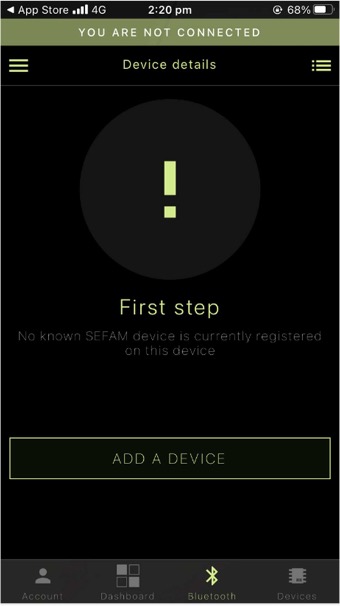
Go to the Bluetooth tab at the bottom of the screen – you’ll find this on the third tab from the left.
Press ‘Add device’, then tap the ‘Add devices’ tab – you’ll find this on the fourth tab left to right from the bottom of the screen:
Step 3
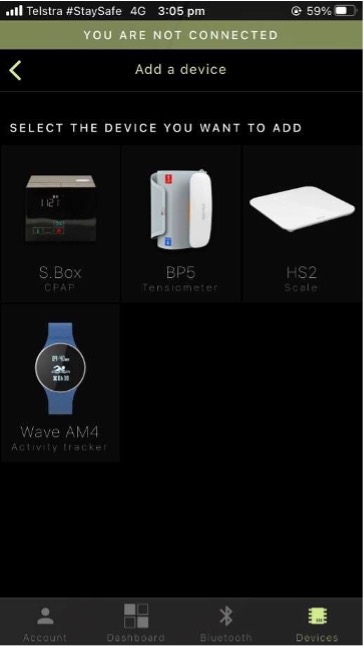
Select ‘S.Box CPAP’, the international name for the Starck device:
Step 4
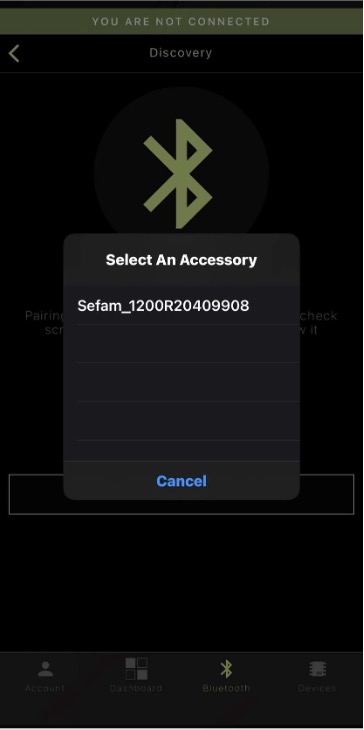
Press ‘OK’ to pair the device.
Select an accessory ‘Sefam_[your serial number]’ and then allow up to 30 seconds for the discovery process. Ensure the device is active whilst pairing [by tapping anywhere on the screen to wake it up if it has gone to inactive mode]. ‘Pair’ will then display on the screen as shown here.
Step 5
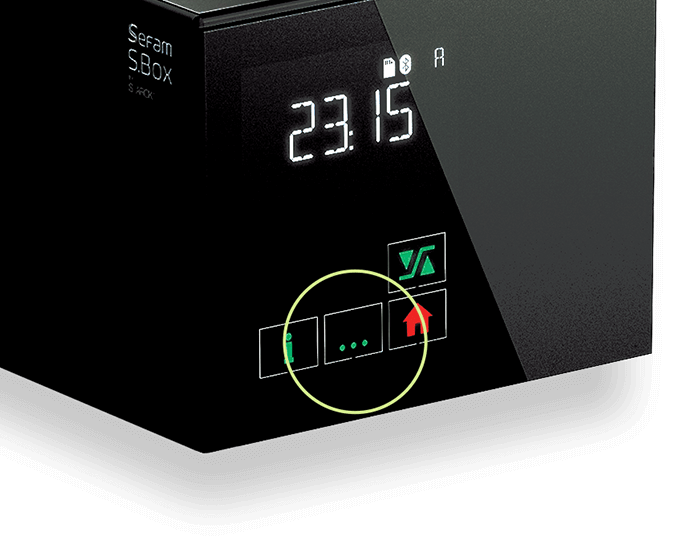
Finally, press the 3 green dots to complete the connection. Your Starck device is now connected to your mobile device via the app. You can browse the app to discover insights and advanced functions. You can also start or stop the device remotely.